Grammarly vs ChatGPT: Which Is Actually Better for Everyday Writing?

We’ve all been there — staring at an email we’ve rewritten three times, or hovering over the send button on a Slack message, wondering if it sounds off.
In the workplace, the way you communicate matters. A small change in tone, clarity, or wording can completely transform how your message is received. And while most of us have turned to AI tools to help, the ones we reach for aren’t always the best fit for the job.
If you’re using ChatGPT to help with everyday writing, you’re not alone — but there’s a free tool built specifically for that purpose that you might not know about. Grammarly integrates directly into the apps you already use, gives you real-time feedback as you write, and costs nothing to get started.
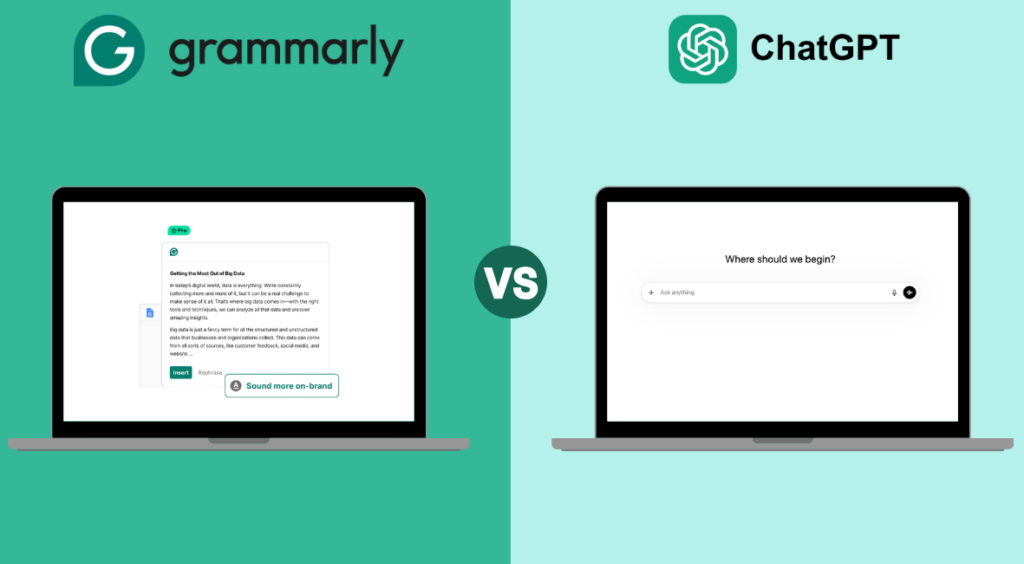
Here’s how it compares to ChatGPT for day-to-day writing:
The Ultimate Writing Assistant Showdown
✓ Built specifically for writing
✓ Works directly in Gmail, Google Docs, Slack in real time
✓ Reliable grammar, spelling, punctuation and tone checks
✓ Helps your writing sound like you
✓ Works reliably whenever you need it
✕ General AI assistant, not designed for writing workflows
✕ Requires copy-pasting between apps
✕ Can fabricate information — everything needs fact-checking
✕ Tends to sound generic and AI-generated
✕ Throttles usage during peak times, limits access to newer models
Grammarly Overview
Grammarly is a dedicated writing assistant built to work where you already write — Gmail, Google Docs, Word, Slack, and more. It runs in the background and surfaces suggestions in real time, so feedback appears as you type rather than after you’ve finished.
It covers the essentials: spelling, grammar, punctuation, and tone detection, with 100 AI prompts per month included. For daily emails, Slack messages, and general workplace writing, that’s more than enough.
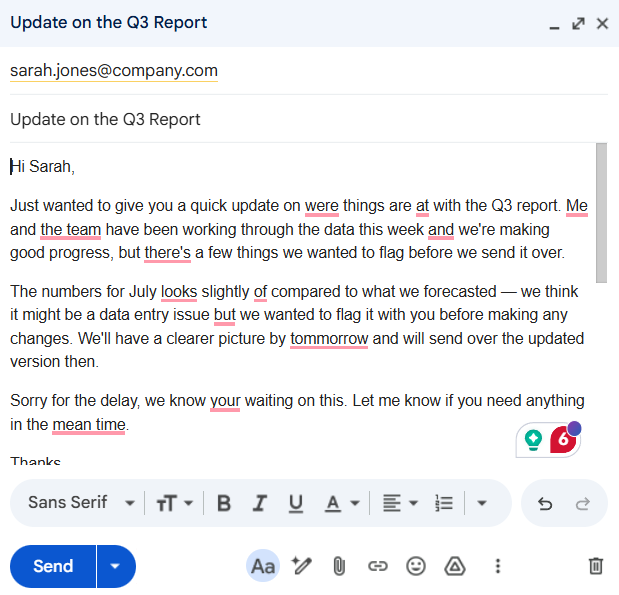
The key difference from a general AI tool is that you never have to leave what you’re doing. There’s no copying, no pasting, no switching tabs. You write, Grammarly catches what needs catching, and you move on. For anyone who writes as part of their job — even occasionally — that kind of frictionless support adds up quickly.
ChatGPT Overview
ChatGPT is a genuinely useful tool, and there’s no reason to stop using it. For research-heavy tasks, brainstorming, drafting something from a blank page, or working through a complex brief, it’s hard to beat.
But for the kind of writing most people do every day — emails, Slack messages, quick documents — it adds steps rather than removing them. You write somewhere, copy your text into ChatGPT, prompt it, read through the response carefully, fact-check anything specific, then paste a version back and edit it to sound like you again. For a two-line Slack reply, that process rarely makes sense.
ChatGPT also produces long, detailed responses that need to be read thoroughly before you use them. For quick day-to-day communication, that is often more effort than the writing itself.
Our Verdict
ChatGPT is a useful tool when you need to generate ideas, research a topic, draft something from scratch, or work through something complex.
But for everyday professional writing — emails, messages, documents — Grammarly is the simplest and most reliable tool available, and it costs nothing to try.
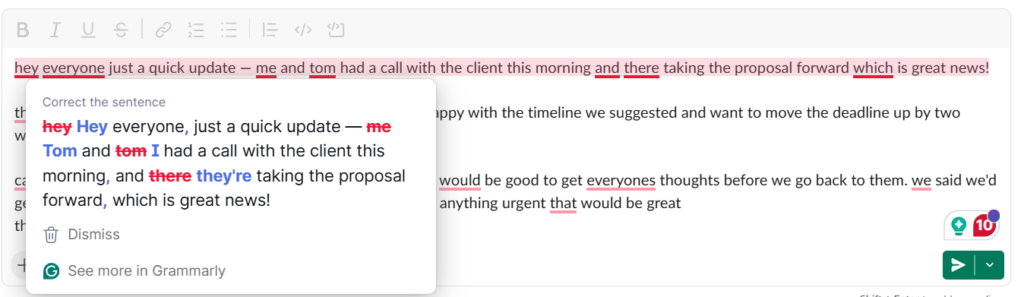
Grammarly works where you work, catching the things that matter for day-to-day communication: a word that reads harsher than you meant, a sentence that’s harder to follow than it should be, a typo that would have slipped through. It doesn’t replace your thinking — it just makes sure your writing reflects it accurately.
If you want your emails to land better, your messages to sound more confident, and your writing to stop feeling like a chore, it costs nothing to sign up.
